Updates · 3 min read
Introducing Artifacts in Acutis
A good idea often starts in a conversation. But turning it into something you can work with—a lesson plan, a budget, or a presentation—usually means moving between a chat and another tool.
Artifacts bring that work together in Acutis. Create a document, spreadsheet, or slide deck with Acutis, then open it alongside your conversation to edit, refine, share, and export it.
Three ways to turn an idea into something useful
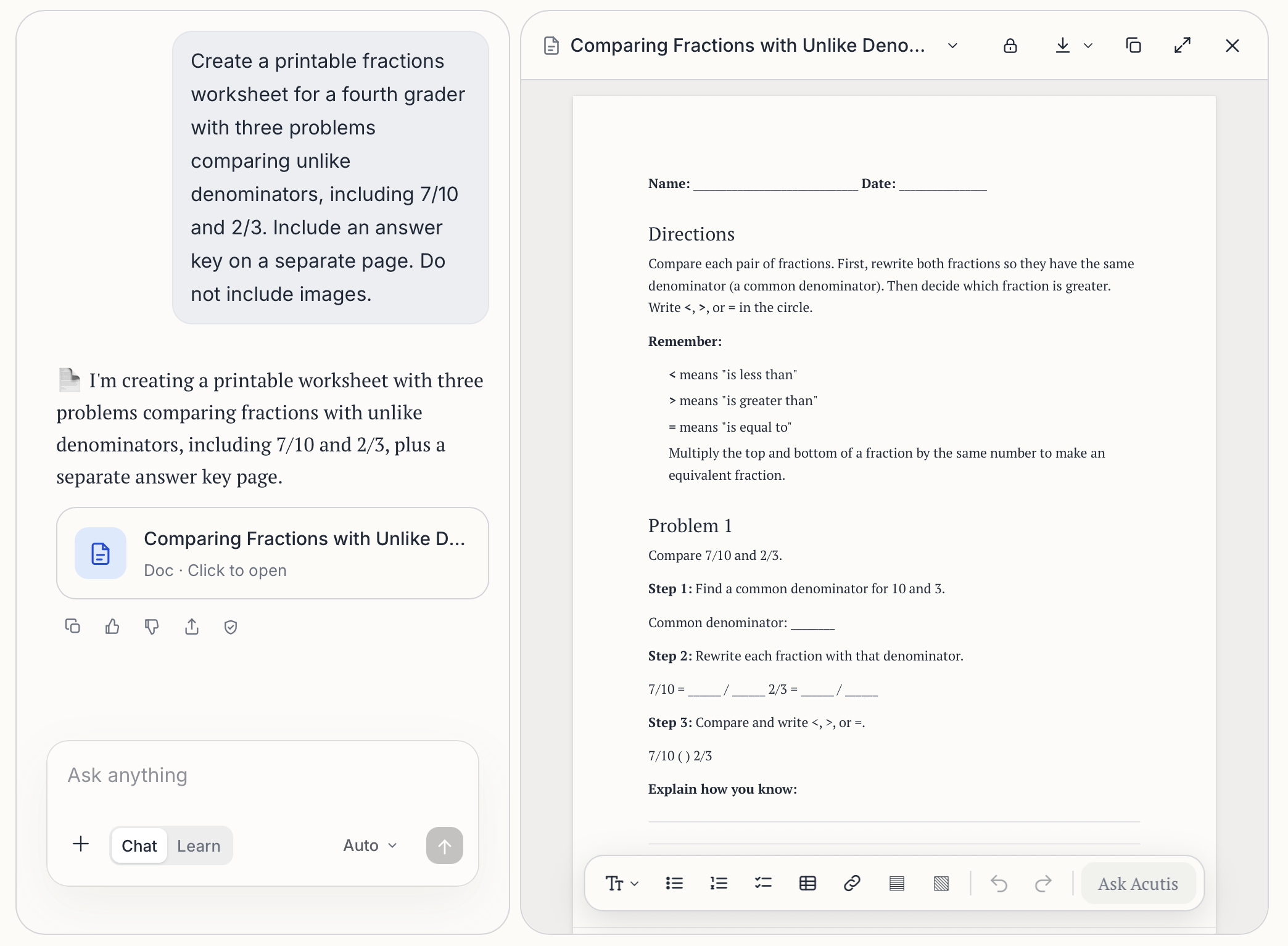
Docs give you a place to write and organize longer work, from study guides and lesson plans to notes and drafts. Ask Acutis to help you get started, then edit the document yourself.
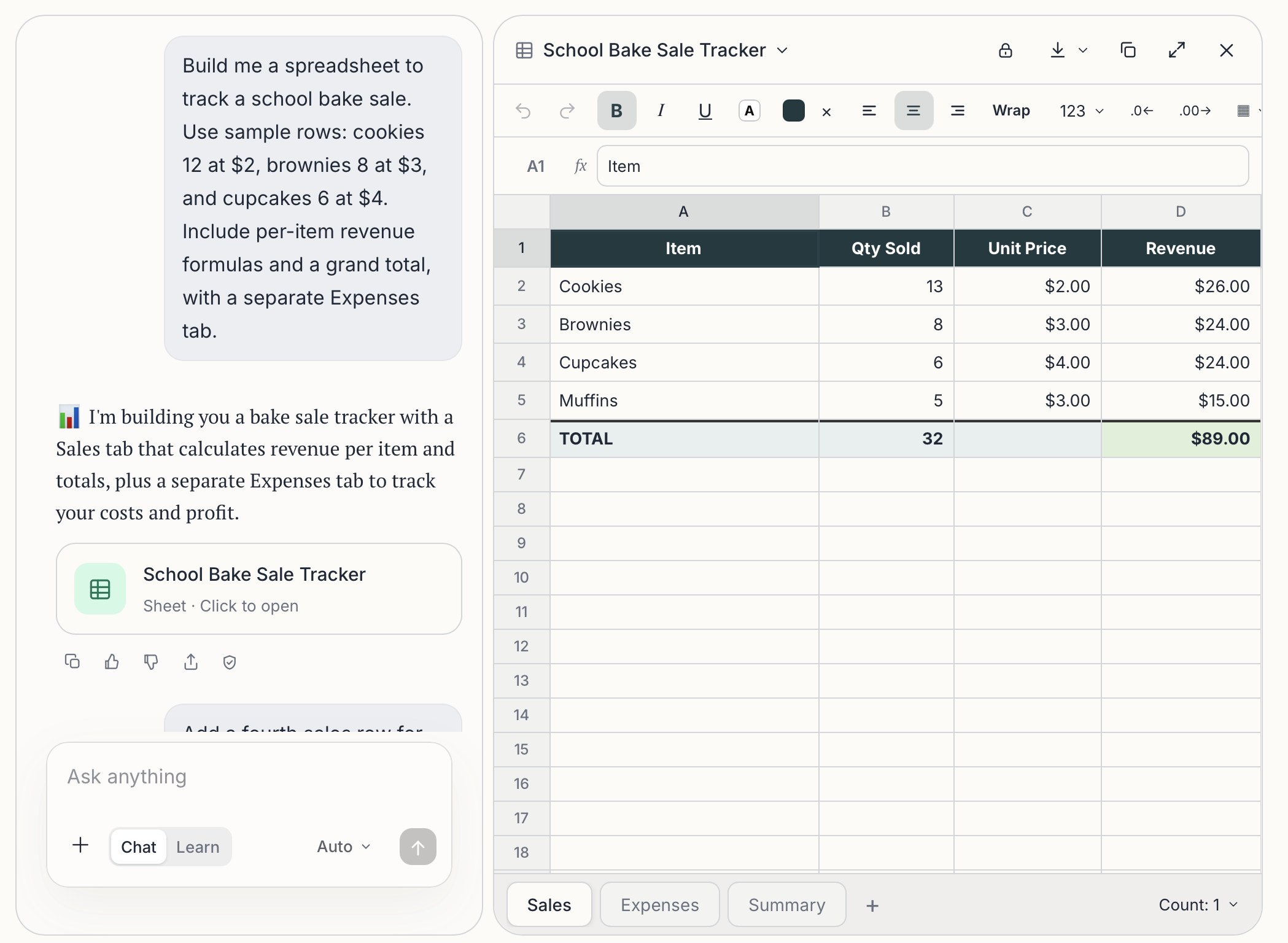
Sheets help you organize information in a spreadsheet. Use one for a family budget, an event plan, or a list you want to sort through and develop further.
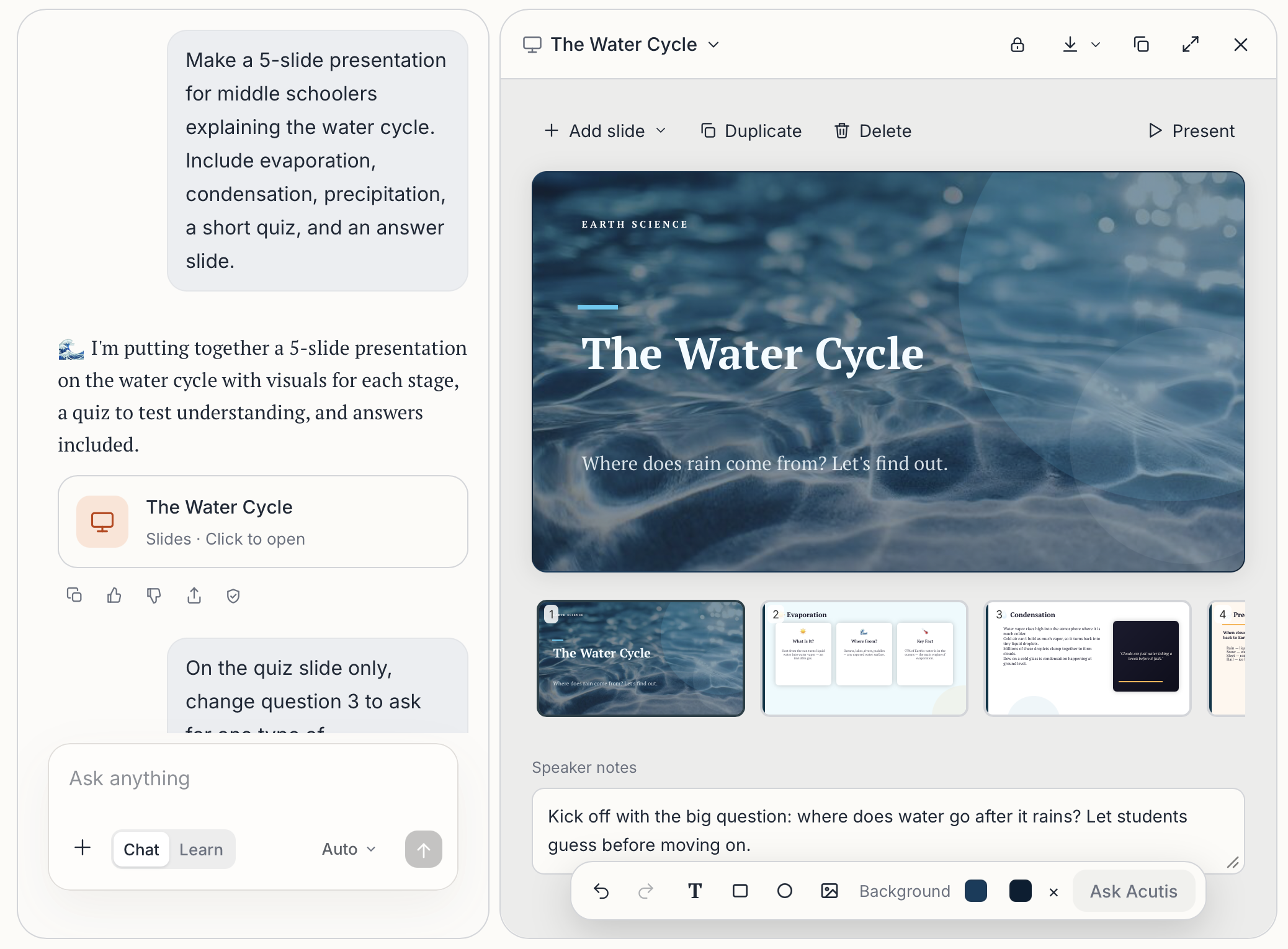
Slides give you a canvas for a presentation. Ask Acutis for a starting point, then adjust the text and layout as you prepare to share your ideas.
Start with a conversation or a blank file
You can ask Acutis in chat to create an artifact. For example, try “Write a study guide on the parables,” “Make a spreadsheet for our parish event budget,” or “Build a slide deck introducing the life of St. Francis.” Tell Acutis what the file is for and who will use it, and give it any details you want included.
You can also open Artifacts and choose Docs, Sheets, or Slides under Make something new to start with a blank file. Your saved artifacts appear there so you can come back to them later.
Make it your own
When an artifact opens beside your chat, you can work directly in the editor and ask Acutis for help making changes. Refine a draft, develop a worksheet, or adjust a presentation as your ideas take shape. You stay in control of the result: review the content, make your own edits, and check any important facts before sharing it.
Share, revisit, and export your work
Use Share to invite people by email as viewers or editors, or adjust link access. Files shared with you appear under Shared with you in Artifacts. Shared files support live editing, so people with editing access can work together.
You can also open Version history to revisit earlier versions and restore one when needed. When you’re ready to take your work elsewhere, choose an export format for the file: Word or PDF for a document, Excel or CSV for a spreadsheet, and PowerPoint or PDF for slides are among the available options.
Get started
Open Artifacts in Acutis to start a blank file, or ask Acutis in chat to create a document, spreadsheet, or presentation. Start with what you want to make, then shape it together.